
Tap to Pay
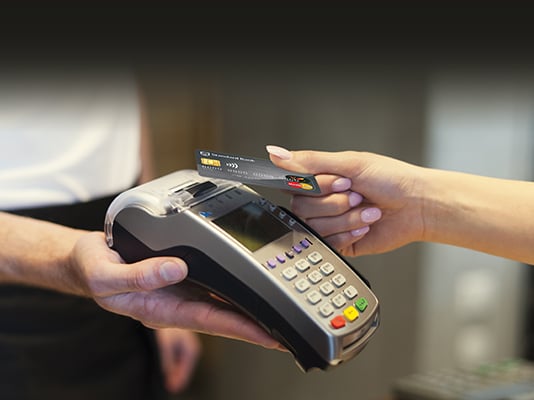
You can use your credit or debit card to pay by tapping any card device with a contactless symbol*. Every purchase is secure, protecting your data and your account. And don’t worry if you tap twice by accident – you can only be billed once.
How to use it
- Tap your card on the contactless symbol of the card device
- If the amount is over R 500, you’ll need to enter your PIN
- Get your receipt, so you can check it against your monthly statement
*It’s the same symbol you’ll find on your contactless-enabled card
-
How to use it
- Tap your card on the contactless symbol of the card device
- If the amount is over R 500, you’ll need to enter your PIN
- Get your receipt, so you can check it against your monthly statement
*It’s the same symbol you’ll find on your contactless-enabled card
WE ALSO OFFER

SnapScan App
No need to carry cash, wait for the card machine or enter your card details with every online purchase. With SnapScan, you can use your smartphone to make payments, send money to friends and earn UCount Rewards Points. SnapScan is compatible with most bank cards, as well as the Standard Bank Virtual Card.

Pay with your Virtual Card
Shop and pay without exposing your real card details.
Create a Virtual Card in your Banking App and pay online or in-store. It works like your physical card, but with extra protection and full control.
Use it for:
- Online shopping
- Tap-to-pay in-store using your digital wallet
- Recurring payments like subscriptions
- QR & Scan-to-Pay purchases