
New feature
Pay your bills
Learn how to pay bills in a few easy steps in the app.
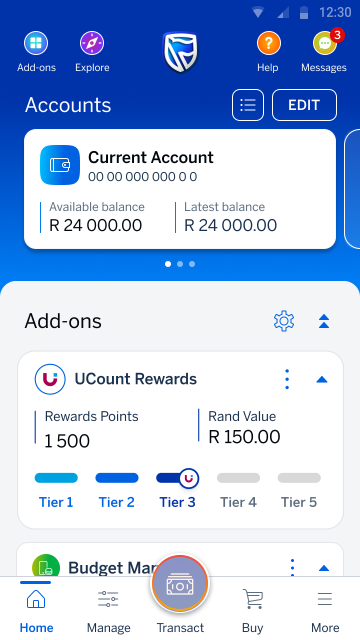
Step 1 of 9
Go to your home screen and select Transact (on the bottom navigation).
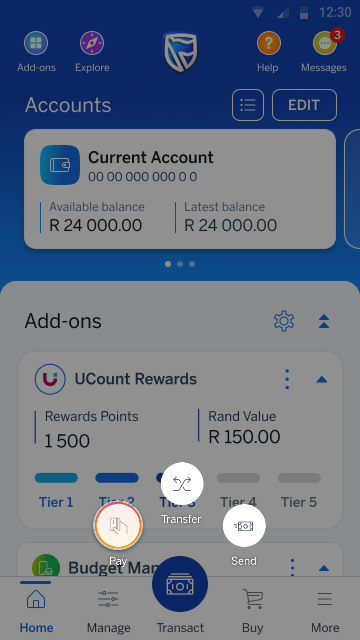
Step 2 of 9
Tap Pay from the menu options.
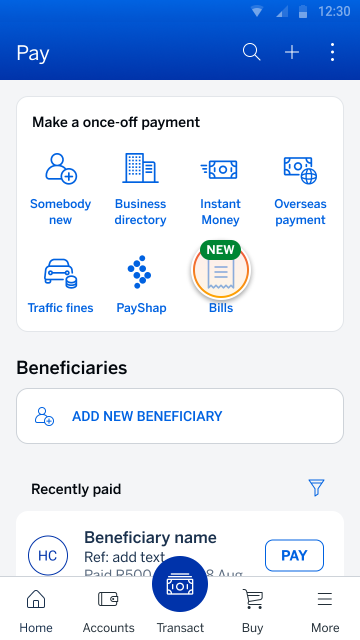
Step 3 of 9
Tap Bills from the Pay menu.
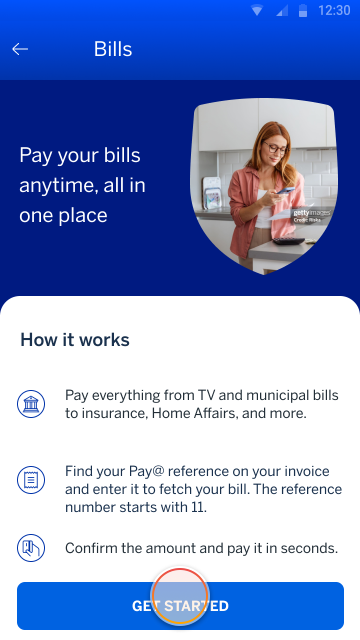
Step 4 of 9
Tap GET STARTED (on the bottom navigation).
Step 5 of 9
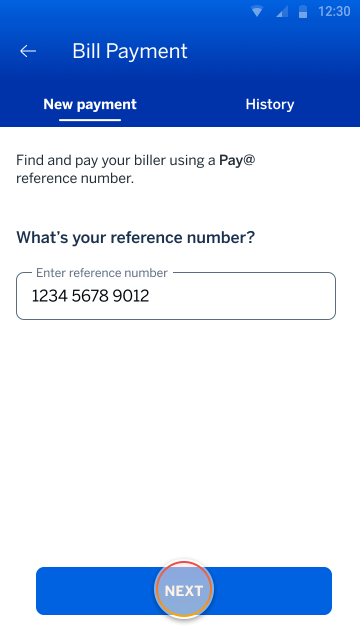
Enter bill reference number and tap NEXT.
Step 6 of 9
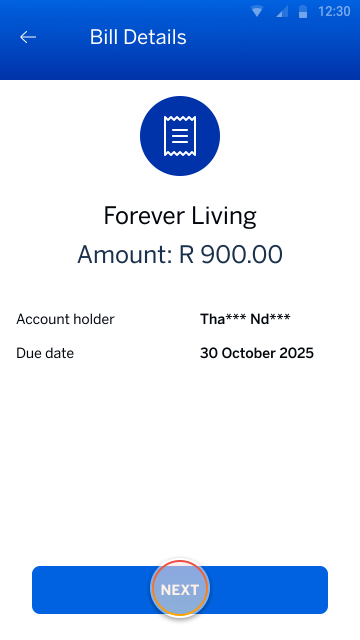
Review your bill details.
When you’re ready, tap NEXT.
Step 7 of 9
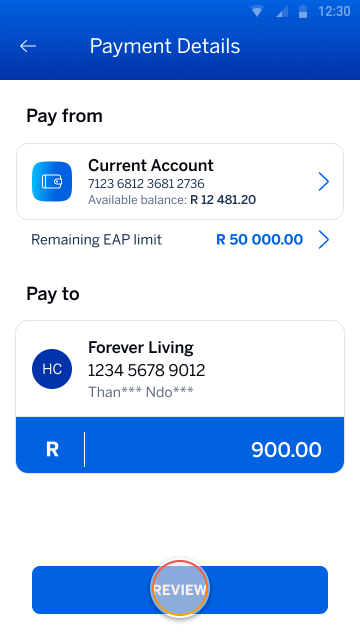
Select the account you want to pay from and tap REVIEW.
Step 8 of 9
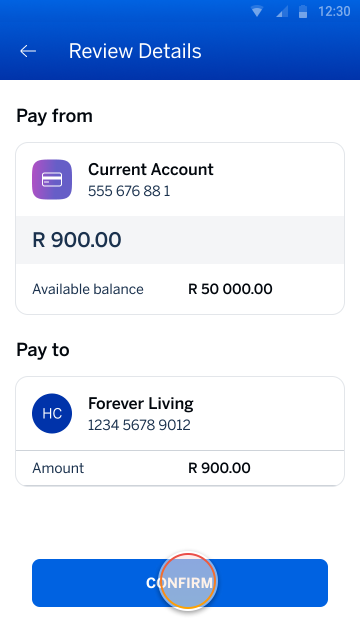
Review your payment details.
When you’re ready, tap CONFIRM.
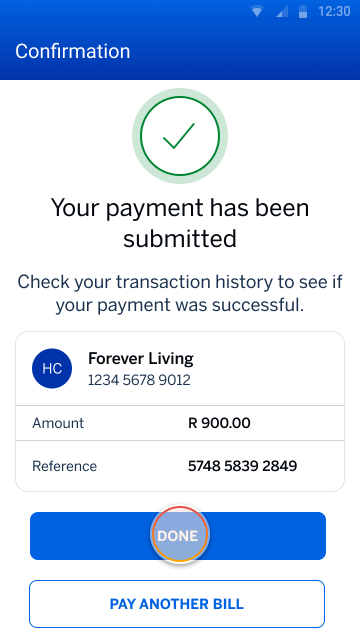
Step 9 of 9
Tap DONE to return to Pay menu.
Pay your bills
Easily pay your bills on the app.
Try it on the app
Scan the QR code to sign in
Register on the Banking App
* Network costs apply when downloading the app
More things you can do on the app
Making payments
6 Dec 2021
Pay your traffic fines
View and pay your outstanding traffic fines on the app.
Making purchases
24 Oct 2025
Buy prepaid electricity
Learn how to buy electricity in a few easy steps on the app.
Making payments
16 Mar 2020
Make an immediate payment
Learn how to make an immediate payment to a beneficiary in a few easy steps.
Making payments
Add and pay a beneficiary
Learn how to add and pay a beneficiary on the app.