
Protect your banking with Trusted Banking Spaces
Trusted Banking Spaces allows you to save spaces you trust, such as your home or workplace, in the Banking App.
By identifying the places where you regularly bank, you're helping strengthen the security of your banking experience and giving yourself greater control over how you bank.
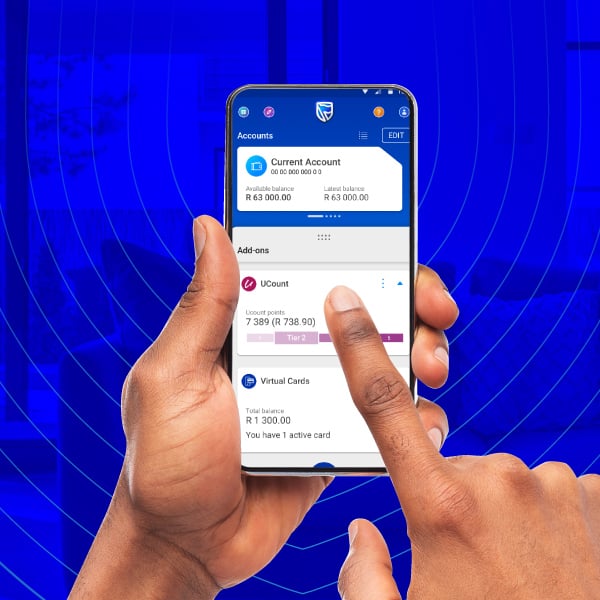
How it works
- Trusted Banking Spaces learns and adapts to your banking patterns
- It helps strengthen security based on your trusted banking behaviour
When you're in a Trusted Banking Space
You may experience:
- Fewer interruptions when performing certain banking activities
- Faster processing of eligible high-risk payments
- Increased confidence that your banking experience remains seamless and secure
When you're outside a Trusted Banking Space
- Additional security measures may apply to help protect you against fraud
- This allows us to strengthen security when the risk is potentially higher while making banking easier in locations you've already told us you trust
How to get it
You can set up Trusted Banking Spaces directly from a push notification or from a message in your Banking App Message Centre.
Before you start
To use Trusted Banking Spaces, you must:
- Be registered on the Banking App
- Have completed DigiME on your Banking App profile
- Enable location services and location permissions on your device
- Be physically present at the location you want to save
How to set up trusted locations:
- Open the Banking App
- Select the Trusted Banking Spaces notification or Message Centre reminder
- Choose Save Trusted Banking Spaces
- Follow the guided setup process
- Confirm your current location
- Assign a nickname to the location e.g. Home
- Save your Trusted Banking Space and complete the process with facial recognition
Please note: It can take up to 24 hours for a newly added Trusted Banking Space to become active.
-
How it works
-
How to get it
- Trusted Banking Spaces learns and adapts to your banking patterns
- It helps strengthen security based on your trusted banking behaviour
When you're in a Trusted Banking Space
You may experience:
- Fewer interruptions when performing certain banking activities
- Faster processing of eligible high-risk payments
- Increased confidence that your banking experience remains seamless and secure
When you're outside a Trusted Banking Space
- Additional security measures may apply to help protect you against fraud
- This allows us to strengthen security when the risk is potentially higher while making banking easier in locations you've already told us you trust
You can set up Trusted Banking Spaces directly from a push notification or from a message in your Banking App Message Centre.
Before you start
To use Trusted Banking Spaces, you must:
- Be registered on the Banking App
- Have completed DigiME on your Banking App profile
- Enable location services and location permissions on your device
- Be physically present at the location you want to save
How to set up trusted locations:
- Open the Banking App
- Select the Trusted Banking Spaces notification or Message Centre reminder
- Choose Save Trusted Banking Spaces
- Follow the guided setup process
- Confirm your current location
- Assign a nickname to the location e.g. Home
- Save your Trusted Banking Space and complete the process with facial recognition
Please note: It can take up to 24 hours for a newly added Trusted Banking Space to become active.
Frequently asked questions
Who can use Trusted Banking Spaces?
You must be a registered Banking App customer and have completed DigiME on the device you use for banking.
Do I need to be physically at the location to add Trusted Banking Spaces?
Yes. You must be physically present at the location because the Banking App uses your device's GPS coordinates during setup.
Do I need to enable location services?
Yes. Location services, permissions and precise location settings must be enabled on your device for Trusted Banking Spaces to work correctly.
Does Standard Bank continuously track my location?
No. Location information is only used for security purposes when required as part of the Trusted Banking Spaces feature.
How many Trusted Banking Spaces can I have?
You can save up to five locations that you trust.
Does a new Trusted Banking Space become active immediately?
No. Newly added Trusted Banking Spaces become active after 24 hours.
Where can I manage my Trusted Banking Spaces?
In the Banking App, navigate to:
More > Security > Trusted Banking Spaces
Can I edit a Trusted Banking Space?
You can rename your Trusted Banking Spaces and remove existing spaces. For your security, addresses and coordinates can’t be edited or viewed.
Can I remove a Trusted Banking Space?
Yes. You can remove a Trusted Banking Space at any time from any location.
What happens when I remove a Trusted Banking Space?
You will be required to verify your identity using facial verification before the removal request can be submitted.
Does the removal take effect immediately?
No. The removal of a Trusted Banking Space takes up to 24 hours to take effect. During this period, the Trusted Banking Space remains active.
If I remove a Trusted Banking Space, can I immediately add a new one?
No. If you have reached the maximum limit of five Trusted Banking Spaces and choose to remove one, you must wait for the 24-hour removal period to be completed before adding another space.
If a transaction is declined, can I remove my Trusted Banking Space and try again?
No. Trusted Banking Spaces is not intended to bypass or override security controls. Removal requests take up to 24 hours to take effect, and all transactions continue to be assessed using a range of security measures.
What happens if I make a high-value payment from outside my Trusted Banking Space?
Your payment will still go through our normal security and risk checks. If it's declined, you'll receive the usual decline message. Trusted Banking Spaces are just one of the factors considered during this assessment.
Once I activate Trusted Banking Spaces, do I need to make payments from one of my Trusted Banking Spaces?
No, you can still make payments from other locations. When you make a payment, our security checks will assess the transaction, including whether you’re in a Trusted Banking Space. This information is used as part of the overall risk assessment before a decision is made.
Can I save a Trusted Banking Space while I'm travelling or away from home?
Yes, provided you are physically present at the location you want to save and have location services enabled on your device. Please note that newly added Trusted Banking Spaces become active after 24 hours.
What is considered a high-value payment?
For security reasons, we don’t disclose the criteria used to classify or assess transactions.
Can anyone see my Trusted Banking Space locations?
No. Only the nicknames you assign to your Trusted Banking Spaces are displayed. Addresses and coordinates are never shown.
Do I need mobile data or internet access?
Yes. Mobile data or internet connectivity is required to set up and manage Trusted Banking Spaces.
Security features on the Banking App

New feature
4 Aug 2025
Add a Trusted Person to your profile
Choose someone you trust to spot suspicious transactions.

Keeping your money safe
1 Aug 2025
Security update: Trust Call
How to enable Trust Call to protect yourself from phone scams.

Keeping your money safe
30 Jul 2024
Supercharge your security with DigiME
Secure your Banking App profile by scanning your face to confirm your identity.

Getting to know the app
9 Feb 2026
In-app Calling
Need help? Call us directly from the app – no need to look up our details.
We also offer

Trusted Person
Nominate someone to help review, confirm, or decline payments from your bank account.

Malware detection
Our Banking App can now detect known malware, helping you keep your account secure.

Trust Call
Identify and manage unknown incoming calls to determine whether it might be a scam or not.

Scams
Scammers can reach you by email, SMS or phone call. Know their modus operandi.