
Account Verification Services (AVS)

Protect yourself and keep your money safe by verifying whether account numbers and account names match before making a payment with our Account Verification Services (AVS).
Some of the benefits
Reduced fraud risk
Verify account details before making payments to help protect yourself from fraud
Verify with ease
Check account details quickly and easily when adding a beneficiary or making a once-off payment
Fast results
AVS-R data is verified in real-time, with response times of less than 60 seconds*
Convenient
Verify account details on the Banking App or Online Banking whenever you need to
How it works
- AVS helps reduce the risk of paying the wrong person or business. It verifies that the beneficiary’s account details match the information held by their bank when you add a new beneficiary or make a once-off payment.
- To verify a beneficiary, the following details must be captured exactly as they are registered with their own bank:
- ID, passport or company registration number (mandatory)
- Surname or business name (optional)
- Contact number (optional)
- A successful match is returned when all the details you provide match the information held by the beneficiary’s bank.
- If mandatory fields match, and one or more optional fields don’t, a partial match will be returned.
- In this case, the output field will display up to 33% of the first characters of the name and 33% of the surname, the rest will be masked asterisks (*).
- For businesses, 33% of each word in the company name will be displayed.
- Verification will fail if the supplied details don’t match the information held by the beneficiary’s bank.
- Once the verification result is returned, you can choose to proceed with or cancel your transaction.
What is costs
Please see your account’s Pricing Guide
How to get it
Click on the ‘Verify Account’ option when adding a new beneficiary or making a once-off payment on Online Banking or the Banking App.
Learn how to verify an account number in the app.
-
How it works
-
What is costs
-
How to get it
- AVS helps reduce the risk of paying the wrong person or business. It verifies that the beneficiary’s account details match the information held by their bank when you add a new beneficiary or make a once-off payment.
- To verify a beneficiary, the following details must be captured exactly as they are registered with their own bank:
- ID, passport or company registration number (mandatory)
- Surname or business name (optional)
- Contact number (optional)
- A successful match is returned when all the details you provide match the information held by the beneficiary’s bank.
- If mandatory fields match, and one or more optional fields don’t, a partial match will be returned.
- In this case, the output field will display up to 33% of the first characters of the name and 33% of the surname, the rest will be masked asterisks (*).
- For businesses, 33% of each word in the company name will be displayed.
- Verification will fail if the supplied details don’t match the information held by the beneficiary’s bank.
- Once the verification result is returned, you can choose to proceed with or cancel your transaction.
Please see your account’s Pricing Guide
Click on the ‘Verify Account’ option when adding a new beneficiary or making a once-off payment on Online Banking or the Banking App.
Learn how to verify an account number in the app.
More ways to bank safely

Bank Safely
Bank safely by practising our tips and transact with confidence knowing that your accounts and personal infor...

DigiME
DigiMe is an innovative solution designed to ensure that your digital profile is strong and secure.

MyUpdates
Stay informed and in control of your accounts by registering for unlimited SMS or email alerts of the activity in your account.

Scams
New types of scams continue to emerge in which fraudsters lure you into providing confidential info - often via e...

Malware detection
Our Banking App can now detect known malware, helping you keep your account secure.

Trust Call
Identify and manage unknown incoming calls to determine whether it might be a scam or not.

Trusted Person
Nominate someone to help review, confirm, or decline payments from your bank account.

Verify an account number
Learn how to verify a bank account number before you make a payment.
Security features on the Banking App
Getting to know the app
9 Feb 2026
In-app Calling
Need help? Call us directly from the app – no need to look up our details.
New feature
4 Aug 2025
Add a Trusted Person to your profile
Choose someone you trust to spot suspicious transactions.
New feature
4 Aug 2025
Making a payment with your Trusted Person
Your Trusted Person will confirm your payment before the money leaves your account.

Keeping your money safe
1 Aug 2025
Security update: Trust Call
How to enable Trust Call to protect yourself from phone scams.
Making payments
16 Mar 2020
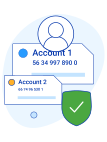
Verify an account number
Learn how to verify a bank account number before you make a payment.
Learn how to keep yourself safe

Security
Your money is safe with us. Here’s how we protect it
When you trust a bank with your money, you expect it to be safe. So do we. .

Security
How to safely shop online
From paying bills and transferring money to ordering groceries and shopping online, our electronic devices (smartphones, tablets, computers and laptops) have become an important part of our lives.

Security
Understanding card-not-present fraud and how to protect yourself
Online shopping, streaming subscriptions, food delivery apps and digital payments have become part of everyday life. Many of these transactions happen without physically using your card, making payments quicker and more convenient.

Security
Simple ways to protect your identity and reduce fraud risk

Security
14 Jul 2026
Why you should regularly check your bank statements
Bank statements are more than just a record of transactions. They can help you understand your spending habits, identify suspicious activity early and stay informed about your financial health.
Security
ATM safety tips to help protect your money

Savings & Budgeting
Mastering stokvels: Tips and tricks on keeping savings safe
Investing is a great way to grow your money and your wealth, but it does come with some risks. It’s important to understand what risk means and what the relationship is between risk and reward so that you can determine whether it’s worth putting your money on the line and what you can do to avoid potential losses.

Security
How do I know if a holiday rental is legit?
Scammers don't take holidays – they target people booking them. Fake or hijacked listings are getting harder to spot, especially on social media.

Security
Car scams: How to protect yourself
This essential guide will help you identify the red flags and tactics of common vehicle scams.