Use our Banking App
Discover secure and effortless tools that help you track your money usage, get stamped bank statements, manage your cards and their limits, and explore personalised offers – all at your fingertips.
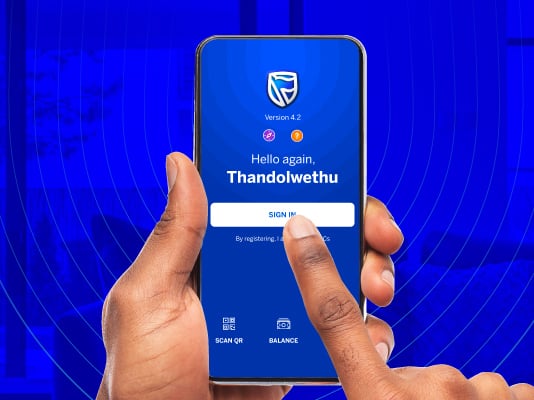
Reasons to use our Banking App
Safe and secure
Use your fingerprint or face recognition to sign in for more secure banking
Convenience
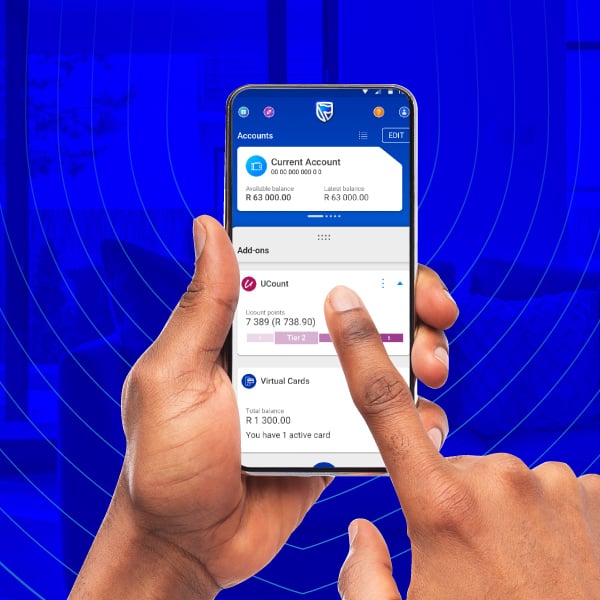
Make payments and transfers, check your balances, and manage your loans – all on the app
Control your accounts
Change your payment dates and card limits, stop and order cards, and open new savings accounts
Get notified
Receive instant push notifications on all your account activity and app updates that improve your banking experience

Banking App Help Centre
Learn how to use our Banking App by going through our step-by-step guides
Learn more about our app




Frequently asked questions
Does Standard Bank charge me for using the Banking App?
No. If you’re a Vodacom, MTN, Cell C and Telkom customer you will not be charged data fees for using our app.
Must I have airtime to use the Banking App?
Even though our app is zero‑rated, you may still need airtime to ensure that you have an active data connection. Your phone may show you are using data but Vodacom, MTN, Cell C and Telkom will not charge you for it.
Can I use the Banking App overseas?
Yes, you can use our app overseas. If you don’t have roaming enabled while travelling, your OTPs will not be received. Prior to travelling, sign into your app to change your OTP to your email address instead of your cellphone number or visit your nearest branch to update your details.
How can I get my bank statements and bank account confirmation letter?
View our step-by-step Help Guide on how to get your bank account documents.
Why can’t I download or install the Standard Bank App?
Our app only works on devices with:
- Android version 6 or higher
- iOS version 15 or higher
We recommend that you update the operating system of your device to enhance the security and stability of your device. Go into your device’s settings and select to update the software. The Banking App will not work on devices that are not supported by the device manufacturer and poses a security risk.
We also offer

Top up your life with ease
Whether it’s airtime, electricity, Lotto, or vouchers, our wide range of value-added services is designed to keep you in control.

Online Banking just got smarter
No more banking hours and no more queues, our upgraded Online Banking experience empowers you to manage your finances 24/7, from any device.

ATM Banking
With thousands of ATMs nationwide, it’s easy to do your banking outside of normal banking hours and without visiting a branch.

Telephone and Speech Banking
Access our multilingual, 24/7 automated service and bank from a fixed line or cellphone, or switch to Speech Banking for a hands-free banking experience.

Cellphone Banking
Bank securely from your cellphone - anywhere, anytime. Get access to your bank accounts by dialling *120*2345# and pay your bills, buy data, and make payments.

Apply for your smart ID
Skip the queues and get your smart ID sorted. Apply online on the Department of Home Affairs website or visit selected branches where you can apply directly with us.
When your document is ready, simply collect it at one of our specialised branches.
Give feedback
Give feedback
Give feedback