
Making purchases
3 Feb 2020
Buy data
Learn how to buy data using the app
Step 1 of 8
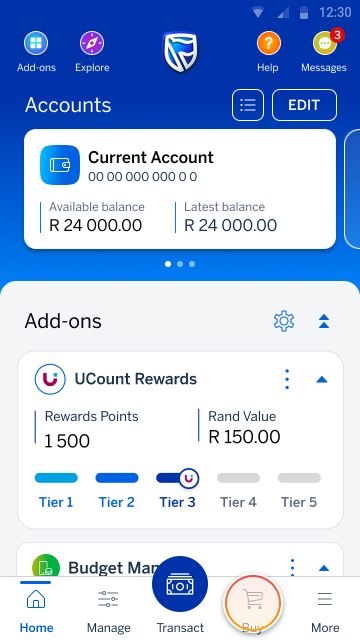
Go to your home screen and tap Buy (on the bottom navigation).
Step 2 of 8
Tap on the Data from the list of prepaid services.
%20of%20buy_prepaidOptions.png)
Step 3 of 8
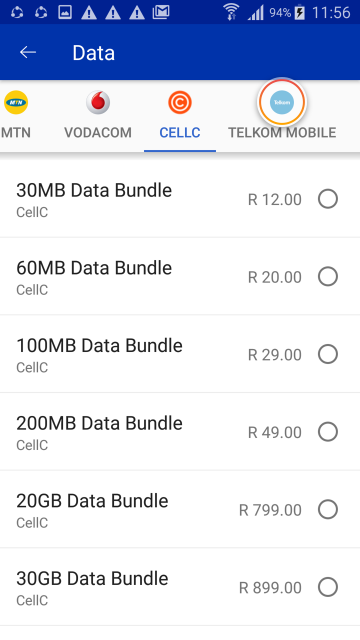
Select your service provider.
Step 4 of 8
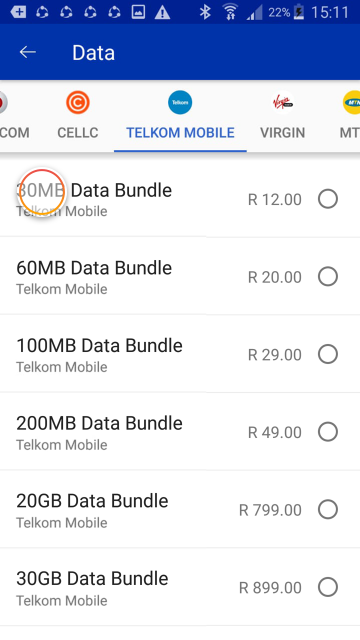
Tap on the bundle you want to buy.
Note:
You can also enter your own amount, if you prefer.
Step 5 of 8
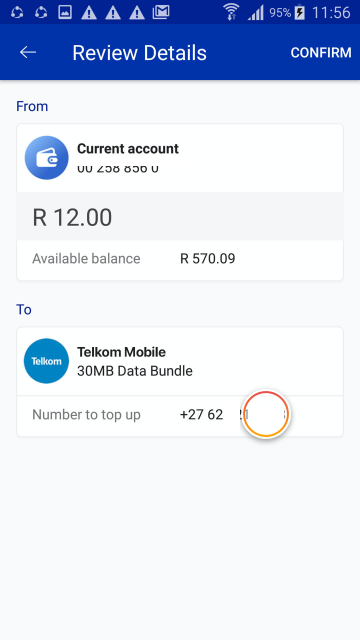
Enter your cellphone number.
You can also enter somebody else's number if you want to buy them data.
Step 6 of 8
Tap REVIEW.
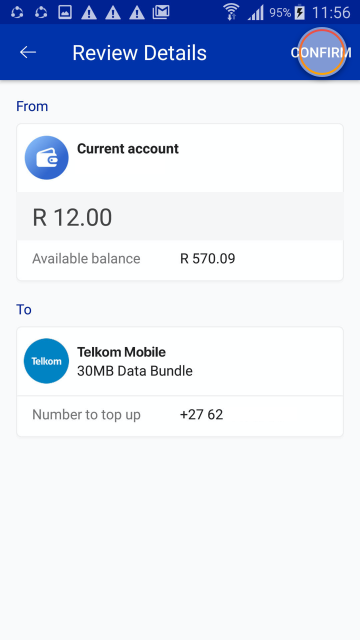
Step 7 of 8
Tap CONFIRM.
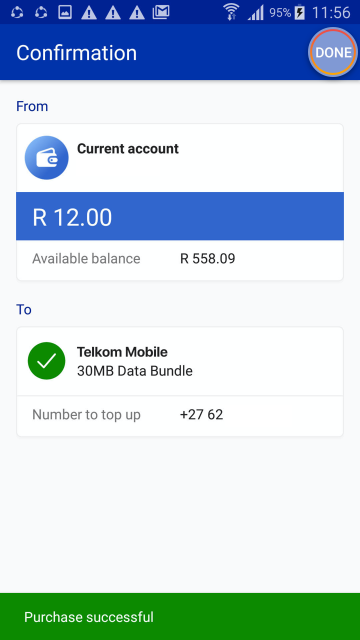
Step 8 of 8
All done! Tap DONE to return to the Buy screen.
Note:
You can follow the same steps to buy airtime and SMS bundles too.
Try it on the app
Buy data, airtime and more on the app
Try it on the app
Scan the QR code to sign in
Register on the Banking App
* Network costs apply when downloading the app
More things you can do on the app
Making purchases
3 Feb 2020
Buy airtime
Learn how to buy airtime using the app.
Making purchases
24 Oct 2025
Buy prepaid electricity
Learn how to buy electricity in a few easy steps on the app.
New feature
27 Oct 2025
Buy prepaid water
Learn how to buy prepaid water in a few easy steps on the app.
Making purchases
1 Jun 2026
Play the Lotto
Learn how to play the Lotto on the app – it’s safe and convenient.