
Pay with your Virtual Card

Shop and pay without exposing your real card details.
Create a Virtual Card in your Banking App and pay online or in-store. It works like your physical card, but with extra protection and full control.
Use it for:
- Online shopping
- Tap-to-pay in-store using your digital wallet
- Recurring payments like subscriptions
- QR & Scan-to-Pay purchases
Why get a Virtual Card?
Seamless convenience
Start transacting immediately and seamlessly from your accounts – no need to wait for a card to arrive
Enhanced security
Dynamic CVV that changes regularly reducing the risk of fraud on Virtual Credit Card. Only you can access it and verify transactions on your Banking App
Get rewarded
Earn UCount Rewards Points on all your qualifying purchases* with your Virtual Credit Card
On your terms
There are no additional costs to having a Virtual Credit Card and there’s no need to top-up your card
Explore Virtual Cards
Each Virtual Card is designed for a specific need. Here’s how they compare:
- Virtual Credit Card
For flexible spending, rewards, and bigger purchases
- Linked to your credit card account
- Gives you the option to buy now and pay later
- Earn up to 3* times more UCount Rewards Points* (same as your physical credit card) and benefit from other rewards
- Contributes to airport lounge access based on your monthly spend
- Great for travel, subscriptions, and higher-value purchases
- Virtual Debit Card
For everyday spending with full control
- Linked to your transactional or PureSave account
- No need to top-up your account, you can spend your own money
- Get near real-time transactions notification when you add your card on MyUpdates
- Earn UCount Rewards Points on qualifying* purchases (same as your physical debit card)
- Ideal for daily spending and budgeting
- Virtual Evolve Card
For flexible, lifestyle-focused banking
- Linked to your Evolve bank account
- Combines digital payment convenience with lifestyle benefits
- Earn UCount Rewards Points on qualifying* spend (same as your physical Evolve card)
- Counts toward airport lounge access eligibility
- Ideal if you want a more modern banking experience
- Virtual Prepaid Card (Leaving soon)
For controlled spending and once-off payments
- Load money before you spend
- Useful for once-off or online payments
- Does not earn UCount Rewards Points
- Works well for gifting or travel budgets
* UCount Rewards terms, conditions and qualifying criteria apply
How it works
How to create a Virtual Credit, Debit or Evolve Card:
- Sign into your Banking App
- Tap on Accounts at the bottom of your screen
- Tap on Cards under Manage your money
- Select the Virtual cards tab at the top
- Tap on Add Card
- Select a Virtual Card you would like to add. The available options are based on your existing eligible accounts
- Follow the easy steps to finalise your new Virtual Card
How to create a Virtual Prepaid Card:
- Sign into your Banking App
- Tap on Accounts at the bottom of your screen
- Tap on Cards under Manage your money
- Select the Virtual prepaids cards tab at the top
- Tap on Add Card
- Select a Virtual Card you would like to add. You can also add a co-branded card with one of our partners
- Follow the easy steps to finalise and top-up your new prepaid card
What it costs
- Creating your Virtual Card: Free
- Topping up your Virtual Prepaid Card: Free
- Shopping with your Virtual Card: Free*
*Purchases from international merchants will be subject to an international transaction fee, which will be charged at 2.75% of the purchase amount.
-
Explore Virtual Cards
-
How it works
-
What it costs
Each Virtual Card is designed for a specific need. Here’s how they compare:
- Virtual Credit Card
For flexible spending, rewards, and bigger purchases
- Linked to your credit card account
- Gives you the option to buy now and pay later
- Earn up to 3* times more UCount Rewards Points* (same as your physical credit card) and benefit from other rewards
- Contributes to airport lounge access based on your monthly spend
- Great for travel, subscriptions, and higher-value purchases
- Virtual Debit Card
For everyday spending with full control
- Linked to your transactional or PureSave account
- No need to top-up your account, you can spend your own money
- Get near real-time transactions notification when you add your card on MyUpdates
- Earn UCount Rewards Points on qualifying* purchases (same as your physical debit card)
- Ideal for daily spending and budgeting
- Virtual Evolve Card
For flexible, lifestyle-focused banking
- Linked to your Evolve bank account
- Combines digital payment convenience with lifestyle benefits
- Earn UCount Rewards Points on qualifying* spend (same as your physical Evolve card)
- Counts toward airport lounge access eligibility
- Ideal if you want a more modern banking experience
- Virtual Prepaid Card (Leaving soon)
For controlled spending and once-off payments
- Load money before you spend
- Useful for once-off or online payments
- Does not earn UCount Rewards Points
- Works well for gifting or travel budgets
* UCount Rewards terms, conditions and qualifying criteria apply
How to create a Virtual Credit, Debit or Evolve Card:
- Sign into your Banking App
- Tap on Accounts at the bottom of your screen
- Tap on Cards under Manage your money
- Select the Virtual cards tab at the top
- Tap on Add Card
- Select a Virtual Card you would like to add. The available options are based on your existing eligible accounts
- Follow the easy steps to finalise your new Virtual Card
How to create a Virtual Prepaid Card:
- Sign into your Banking App
- Tap on Accounts at the bottom of your screen
- Tap on Cards under Manage your money
- Select the Virtual prepaids cards tab at the top
- Tap on Add Card
- Select a Virtual Card you would like to add. You can also add a co-branded card with one of our partners
- Follow the easy steps to finalise and top-up your new prepaid card
- Creating your Virtual Card: Free
- Topping up your Virtual Prepaid Card: Free
- Shopping with your Virtual Card: Free*
*Purchases from international merchants will be subject to an international transaction fee, which will be charged at 2.75% of the purchase amount.
Virtual Credit Card FAQs
What is a Virtual Card?
A Virtual Card is a digital payment card in your Banking App that lets you pay online and in-store. It works like a physical card, but you don’t need to carry it.
Your Virtual Card comes with built-in security features, helping protect your card details every time you pay. It also works with popular digital wallets like Apple Pay, Google Pay, Samsung Pay, Fitbit Pay™ and Garmin Pay™.
Your Virtual Card comes with built-in security features, helping protect your card details every time you pay. It also works with popular digital wallets like Apple Pay, Google Pay, Samsung Pay, Fitbit Pay™ and Garmin Pay™.
Do I need to activate my Virtual Card after it has been created?
No, your Virtual Card is active immediately upon creation. You need to ensure that your card settings are set up to enable the types of transactions you want to allow on the card.
Does the Virtual Card expire?
Yes, Virtual Cards have an expiry date which is 5 years from the month of card creation. A replacement can easily be created within the Banking App.
What happens when I do a Credit, Evolve or Cheque Card swap, upgrade, or downgrade?
Your Virtual Card linked to your credit card will be updated accordingly.
How does the Virtual Card’s dynamic CVV work for subscriptions/recurring payments?
The dynamic CVV changes regularly for your security, but it does not affect your existing subscriptions. Merchants only need the CVV once when you first sign up. After that, your recurring payments continue normally, even as the CVV changes.
Virtual Card FAQs
Have more questions about your Virtual Card? Visit our Learn page.
We also offer

SnapScan App
No need to carry cash, wait for the card machine or enter your card details with every online purchase. With SnapScan, you can use your smartphone to make payments, send money to friends and earn UCount Rewards Points. SnapScan is compatible with most bank cards, as well as the Standard Bank Virtual Card.
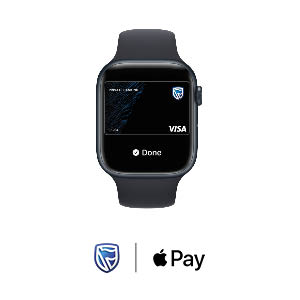
We bring you Apple Pay
Enjoy all the benefits of your bank account with Apple Pay on iPhone, Apple Watch, iPad, and Mac.* Using Apple Pay is simple, and it works with the devices you use every day.
Your card information is secure because it isn’t stored on your device or shared when you pay. Paying in stores, apps, and on the web has never been easier, safer, or more private.

Samsung Pay
Just tap your phone to pay at the till, with the Samsung Pay app for secure payments using compatible Samsung Galaxy smartphones.
Digital wallets
Store, send and spend money safely with a digital wallet that works like a basic bank account on your phone.