

How to manage your card & account
Whether you want to change your PIN, request an extra card, or unlock overseas access—managing your card has never been easier. Discover all the ways you can make your credit card and bank account work for you.
Frequently asked questions
How to view or change your PIN
Have a new bank account or credit card? It will come with a five-digit PIN that you can change at any time.
View your PIN
1. On your Banking App:
- Sign into your app
- Tap on Manage at the bottom of your screen
- Select Cards
- Tap on Card settings for the applicable card
- Scroll down and select View PIN
You can also visit our Help Centre for a step-by-step guide on how to view your PIN.
2. Via Cellphone Banking:
- Dial 0860 123 000
- Select option 2 (Make use of self-service options)
- Selection option 2 again (ATM / Card PIN retrieval)
3. Alternatively, you can visit your nearest branch
Change your PIN
- Visit your nearest Standard Bank ATM
- Insert your card
- Follow the on-screen instructions
What it costs
- This is a free service for all Standard Bank cardholders
How to increase your limit
Need to make a large purchase and want to increase your credit card limit? You can apply for an increase within 6 months of receiving your credit card.
1. On your Banking App:
- Sign into your app
- Tap on the Credit Card tile in the Accounts section
- Tap on Apply on the Credit Limit Increase tile
- Follow the prompts to see how much you qualify for
- Complete your application
All limit increases are based on your card account and credit history. T&Cs apply.
What it costs
- This is a free service to Standard Bank cardholders but will require a full credit check
How to get an additional card
If you need an extra card for yourself or someone in your family, simply call us on 0860 000 000 or visit your nearest branch.
What it costs
- The cost of an additional card varies, depending on the card type. See our pricing guide for more details
How to use your card abroad
You can use your card at over 30 million merchants worldwide. Simply activate it before you travel.
Activate your card
1. On your Banking App:
- Sign into your app
- Navigate to the card you’ll be using overseas
- Select Use Your Card Abroad
- Enter the travel dates
2. Alternatively, call 0860 000 000 or visit your nearest branch
What it costs
- This is a free service to Standard Bank cardholders
- You will also get free basic travel insurance if you book your flight tickets using your qualifying Standard Bank Credit Card
How to link your card to your banking profile
You can link your card to your Online Banking profile to see your latest card balances and other features.
1. On your Banking App:
- Sign into your app
- Tap Link your accounts
- Choose South Africa
- Tap Bank accounts
- Enter your card number and the ATM PIN of your card
- Tap Next to continue
You can also visit our Help Centre for a step-by-step guide on how to link your bank accounts.
2. Visit your nearest branch
- Bring a copy of your South African ID (or passport if you’re not a SA citizen)
What it costs
- This is a free service to Standard Bank cardholders
How to use your credit card’s budget facility
Credit cards are all about choice — that’s why your straight and budget facilities are combined on your card with a single limit.
How it works
Using the budget facility for purchases over R200 means you can choose to repay the amount within six months or over 60 months.
Please note:
- Interest accrues from the date of the purchase
- Instalments need to be repaid in full every month
- All purchases, and the minimum payment due, are in your monthly statements
* Your budget facility cannot be used for travellers’ cheques, foreign currency or progressive payments (like your bond, petrol or electronic account payments).
Learn more about the difference between straight vs budget.
What it costs
- This is a free service to Standard Bank cardholders, but repayment instalments will vary based on the credit card type. See our pricing guide for more details
How to enable or disable card transactions
You can enable or disable the following transactions:
- Switch your card on or off
- Use your card at ATMs
- Pay via card machines
- Make online purchases
- Allow Tap & Go payments
- Enable wearables & wallets
1. On your Banking App:
- Sign into your app
- Navigate to the card you’re using
- Select Card Settings
- Use the toggle to enable or disable transactions
2. Alternatively, call 0860 000 000 or visit your nearest branch
What it costs
- This is a free service to Standard Bank cardholders
How to report a lost or stolen card
- If your card has been lost or stolen, you can report the incident using your Banking App and request a new bank card.
- Our Lost Card Protection service protects you against fraudulent use of your card if you report the incident within 24 hours.
How to use it?
Sign into the Banking App, navigate to the card you’re using, select ‘Report lost or stolen card’ and select the reason for wanting to replace your card. You can also call us on 0800 020 600 or visit your nearest branch.
What it costs?
Our Lost Card Protection service is included in your monthly account fee.
Online Banking
Don’t have your Online Banking credentials yet?
Already have your Online Banking credentials?
Keep your card safe
Using your card is one of the safest ways to pay, but you should always stay vigilant.
Have more credit card questions?
Learn everything there is to know about credit cards and how they work with our FAQs.
Related articles

Banking & Digital Solutions
How to redeem your credit card benefits
You’re already earning benefits with your Standard Bank Credit Card, now it’s time to use them.
Follow a few simple steps to unlock rewards, discounts, and experiences in minutes.

Lifestyle
Manage your money better with these 5 must-know skills
Managing your money right is the key to making the most of it and using it to live the life you want. The way you manage your money has a direct impact on your personal finances, and often when you do it better, you can ‘get more out’ of your money without having to earn more money.

Banking & Digital Solutions
5 Reasons to use a credit card instead of a debit card
Bank cards make it convenient and easy to make purchases without having to carry cash. However, when choosing between using a credit card and a debit card, there are some significant benefits to rather using a credit card instead of a debit card to make your purchases.
Want to view step-by-step help guides instead?
Managing your money
1 Jul 2022
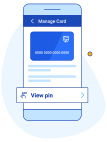
View your card PIN
Forgotten your card’s PIN? You can easily view your PIN on the app.

Keeping your money safe
30 Jul 2024
Supercharge your security with DigiME
Secure your Banking App profile by scanning your face to confirm your identity.
Keeping your money safe
3 Feb 2020
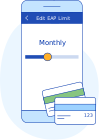
Change your monthly EAP limit
Learn how to change your monthly Electronic Payment (EAP) limit on the app.
Managing your money
4 Jul 2025
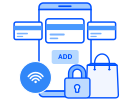
Create a new Virtual Credit, Evolve or Debit Card
Add a Virtual Card to your account to protect yourself against unauthorised purchases.
Need help?